
Metro Sprint Guide: Lanes, Jumps, Slides and High Scores
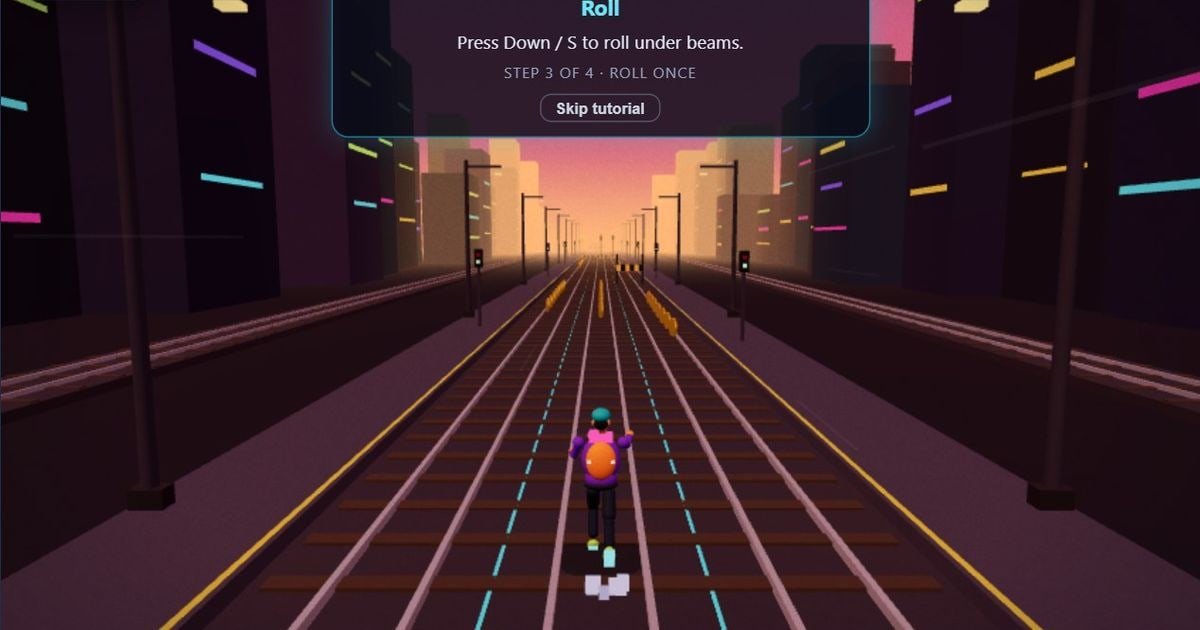
Metro Sprint is a free endless 3D runner along the train tracks. You switch between three lanes, jump barriers, slide under gantries and collect coins while the speed keeps building. One crash ends the run. It works with a keyboard or with swipes on a phone. This guide covers the controls and the habits that give you a longer run.
Learn the controls
The first run opens with a short tutorial in four steps: change lane, jump, roll under a beam and collect coins. You can skip it if you already know the game.
- Left and Right, or A and D, change lane
- Up, W or Space jumps
- Down or S slides under a beam
- On a phone, swipe in the direction you want to move
Look ahead and pick your lane early
Look at the next obstacle, not at your runner. Decide on a lane as soon as you can see what is coming, so you are not forced into a late swerve when the speed builds.
Match the move to the obstacle
Jump barriers and slide under gantries. Matching the move to the obstacle is the key skill of the game. One crash ends the run, so check which obstacle is coming before you press.
Coins are worth it only when it is safe
Collect coins in a lane only if it is safe. Staying alive matters more than a few coins. Coins add up across runs, and you earn money each run to upgrade your power-ups.
Pick a difficulty
There are four modes. Regular is the standard pace. Recruit is a slower train line to learn the lanes and scores 0.7x. Veteran is faster and scores 1.5x. Elite is a blistering pace and scores 2.2x. Start on Recruit while you learn the lanes.
More runner games
For a simpler runner, try Endless Runner, where you jump over obstacles as the world speeds up. For a jungle run, play Jungle Dash, and for a road to cross, try Hop Road. You can also read our list of the best endless runner and arcade games.
Play these games now


Keep reading
- Jungle Dash Guide: Double-Jump, Machete and Treasure Tips - A side-scrolling jungle run where timing is everything - how to double-jump, slash and collect treasure safely.
- Best Endless Runner and Arcade Games to Play Free in Your Browser - Endless runners, classic arcade and space shooters that start in seconds, with a tip for each so you beat your high score.
- Palace Escape Guide: Beat All Four Levels of the 3D Platformer - Four levels, one scimitar and a lot of spikes - how to run, climb and duel your way out of the palace.